
Pruning
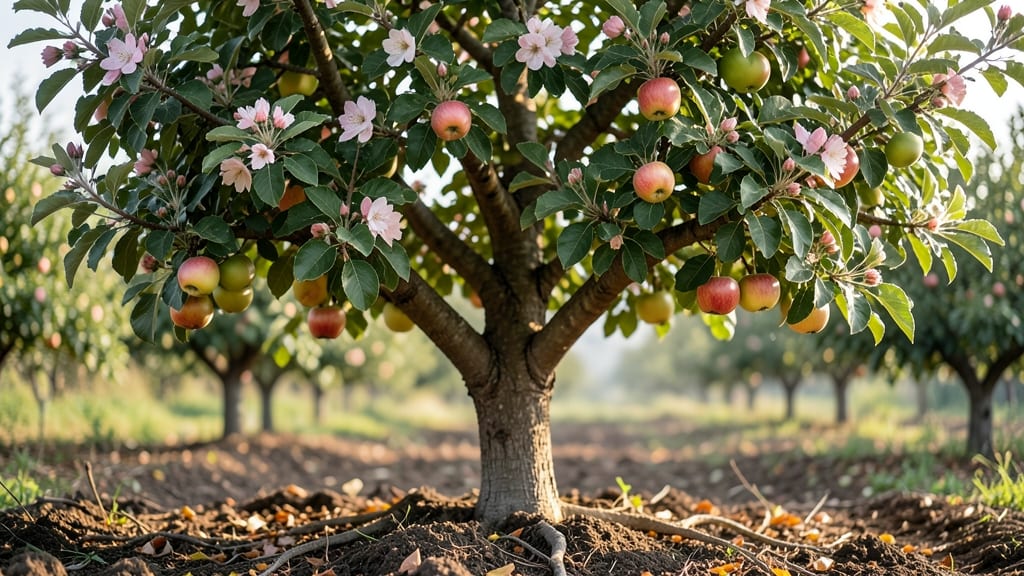
Watching an apple tree time lapse transform from bare branches to a fruit-bearing giant is like witnessing a living masterpiece unfold—season by season. 🌱 The first year brings delicate shoots, while year three delivers that first flush of blossoms, and by year five, you’re picking your own crisp apples.
I’ve tracked this journey with time-lapse photos, and the milestones are easier to spot than you’d think.
Spring’s the star show: those fuzzy pink buds swell into white blossoms in just two weeks, then give way to tiny green apples by summer. Summer’s all about growth—leaves expand, branches thicken, and by August, you’ll see fruit swelling to half its final size.
The real magic happens in late summer when the tree shifts focus from growth to ripening, turning greens to reds and yellows in a matter of weeks.
You’ll know it’s working when the canopy thickens enough to cast shade, and the branches sag slightly under fruit weight. That’s your cue to prune for next year’s harvest—thinning crowded branches now means bigger apples later.
The time-lapse reveals patterns: how pests strike at certain stages, how drought stress shows up in wilted leaves, and why some years are feast while others are famine.
This isn’t just about waiting—it’s about learning the language of the tree. With a little observation (and maybe a phone on timer mode), you’ll predict blooms, diagnose issues early, and celebrate each milestone like it’s your first. Here’s how to follow along.
📚 In This Guide
- What you need
- Instructions
- Tips and common mistakes
- Wrapping up and next steps
What you need
- ○ DSLR or Mirrorless Camera: A weather-resistant model with manual settings (e.g., Canon EOS Rebel T7i, Sony Alpha A6000). Optional: A GoPro or smartphone (like an iPhone 15 Pro) with a wide-angle lens for convenience.
- ● Tripod: A sturdy, adjustable-height tripod (e.g., Manfrotto Compact Action) to keep the camera steady for long exposures.
- ● Intervalometer: A remote shutter release (e.g., Vello ShutterBoss) to trigger shots automatically. Pro tip: Many cameras have built-in intervalometers—check your manual!
- ● Memory Card: A high-capacity (32GB+) SD card (e.g., SanDisk Extreme Pro) to store thousands of images.
- ● Power Bank: A 20,000mAh+ portable charger (e.g., Anker PowerCore) for multi-day shoots.
- ● Apple Tree: A healthy, young to mature tree (5–20 years old) with visible seasonal changes. Ideal varieties: Honeycrisp, Fuji, or Granny Smith for vibrant foliage.
- ● Weather Monitoring: A digital thermometer/hygrometer (e.g., AcuRite 00601) to track temperature/humidity for optimal shooting conditions.
- ● Safety Gear: Non-slip gloves and closed-toe shoes if climbing or pruning near the tree.
- ● Wide-Angle Lens: A 10–24mm lens to capture the full tree in one frame.
- ● ND Filters: For low-light conditions (e.g., polarizing filter to reduce glare).
- ● Time-Lapse Software: Adobe Lightroom, LRTimelapse, or free tools like LRTimelapse for editing.
- ● Backup Camera: A secondary waterproof action cam (e.g., DJI Osmo Action 4) for rainy days.
How to capture an apple tree’s seasonal transformation
Here’s how I document the full cycle from winter dormancy to summer fruit—no fancy gear needed.
📸 Step 1: Scout and Select Your Tree
Find an apple tree with a clear view of its branches from multiple angles. I look for a tree with open growth—one that isn’t too dense or crowded by other trees. The best time to start is in early spring, just as buds begin to swell but before leaves emerge. This gives you a clean slate to track every change.
Take a few test shots from different distances to see which perspective shows the most detail. I like to stand about 10 feet back—close enough to see individual buds but far enough to capture the whole canopy. Note where the sun hits the tree at different times of day; morning light is especially soft and flattering for early growth.
⏰ Step 2: Establish a Shooting Schedule
Set reminders for weekly check-ins starting in late winter. I use my phone’s calendar to alert me on the same day each week, so I don’t miss critical stages. The first few weeks are the most dramatic—buds will swell, then burst into leaves within 2-3 weeks. After that, growth slows until summer.
For a true time-lapse feel, aim to shoot at the same time of day each week. I always go at 10 AM when the light is bright but not harsh. If you miss a week, don’t stress—just adjust your schedule and keep going. The key is consistency, not perfection.
🌿 Step 3: Capture Key Growth Stages
Focus on these five critical moments: bud swell, leaf emergence, first flowers, fruit set, and summer canopy. I snap photos when buds first appear (they’ll look like tiny green bumps), then again when they’re half their final size before bursting. Use a timer or selfie stick to keep your framing steady—holding the camera for hours gets tiring.
As leaves unfurl, watch for the first true leaves—they’ll be bright green and slightly fuzzy. Flowers appear next, usually within 3-4 weeks of bud swell. This is the most photogenic stage, so take extra shots. If you’re using a phone, prop it on a stable surface or lean against the tree trunk to avoid shaky images.
☀️ Step 4: Edit for Consistency
Use free apps like Snapseed or Lightroom Mobile to adjust brightness, contrast, and white balance so all photos have a similar tone. I keep the same exposure settings for every shot—no drastic edits. The goal is to make the progression look natural, not like a before-and-after makeover.
Crop each photo to the same dimensions to eliminate any framing shifts. I use a 16:9 ratio and center the tree in every frame. Save your files as high-resolution JPEGs and back them up immediately. Losing a week’s worth of shots would be heartbreaking—trust me, I’ve learned that the hard way.
🎬 Step 5: Assemble Your Time-Lapse
Use free software like iMovie or CapCut to stitch your photos into a video. I set the speed to 24 frames per second and add a soft background soundtrack—nature sounds or gentle acoustic music work best. The magic happens when you see the tree go from bare branches to a lush canopy in just a few seconds.
Export your time-lapse in 1080p and share it with friends or on social media. I always tag it with the tree’s variety (if known) and the location. People love seeing nature’s transformations up close—it’s a great way to spark conversations about gardening and patience. And hey, if you’re feeling fancy, add text overlays like “Spring 2024” or “From Bud to Bloom.”
Tips & tricks for perfect apple tree time-lapse photography
These practical strategies will help you capture a stunning seasonal transformation without missing a single growth stage.
Lighting Consistency: Shoot at the same time each week—morning light around 10 AM (as mentioned in Step 2) is ideal because it minimizes harsh shadows on the tree's delicate buds and leaves. I've found that using a small reflector or even a white poster board to bounce light onto shaded areas can make a huge difference in clarity, especially during overcast days. This consistency is what makes your time-lapse look professional.
Equipment Upgrade: While no fancy gear is needed, a simple tripod or even a sturdy branch you can lean against will dramatically improve your shots. In Step 1, positioning 10 feet back is perfect, but a tripod lets you maintain that exact distance and angle every time. If you don't have one, use a stack of books or a backpack to prop up your phone—just make sure it's level. The key is eliminating camera shake that can ruin your time-lapse flow.
Growth Stage Reminders: Create a simple checklist for the five critical moments mentioned in Step 3. I keep mine on my phone's notes app with checkboxes for bud swell, leaf emergence, first flowers, fruit set, and summer canopy. Set calendar alerts for each stage using the approximate 2-3 week intervals between them. This prevents you from missing any major transformations, especially when growth slows after the initial burst of activity.
Backup Strategy: Always shoot in RAW format if your camera allows it—this gives you more editing flexibility later. In Step 4, we talk about consistency, but RAW files let you adjust exposure and white balance without losing quality. I also recommend uploading your photos to cloud storage immediately after each session. That way, if your device fails or gets lost, you won't lose weeks of progress. I've had this happen twice now, and it's not a risk worth taking.
Pro Tips for Apple Tree Time Lapse
- These practical strategies will help you capture a stunning seasonal transformation without missing a single growth stage.
- Lighting Consistency: Shoot at the same time each week—morning light around 10 AM (as mentioned in Step 2) is ideal because it minimizes harsh shadows on the tree's delicate buds and leaves.
- Equipment Upgrade: While no fancy gear is needed, a simple tripod or even a sturdy branch you can lean against will dramatically improve your shots.
Frequently asked questions
How long does it typically take for an apple tree to go from bare branches to full canopy in a time-lapse?
Most apple trees take 1-3 years to show significant canopy growth in a time-lapse, depending on the variety and growing conditions. Dwarf varieties may fill out faster (1-2 years), while standard trees can take up to 5 years. Patience is key—consistent care (water, pruning, and sunlight) speeds up the process!
What’s the best time of year to capture an apple tree time-lapse?
Start filming in late winter/early spring (before buds swell) and continue through fall to capture blooms, fruit development, and seasonal color changes. Avoid harsh winter months when trees are dormant—focus on growth phases instead!
Do I need a professional camera for a good apple tree time-lapse?
Not at all! A smartphone with a high-resolution camera and interval settings (or a budget-friendly action cam) works great. Use natural light (early morning/late afternoon) and a tripod for stability. Apps like Time-Lapse Pro or Lapse It simplify the process.
What if my apple tree isn’t growing as expected in the time-lapse?
Check these common issues:
- Poor soil: Test pH (ideal: 6.0–7.0) and amend with compost.
- Pests/disease: Look for holes, spots, or wilting leaves—treat early!
- Pruning mistakes: Avoid over-pruning; focus on open-center shapes for airflow.
- Water stress: Deep water 1–2x/week (more in droughts).
Adjust care and monitor progress—trees rebound with the right support!
Can I speed up an apple tree’s growth in a time-lapse for dramatic effect?
No—speeding up footage (e.g., 10x) won’t change real growth! Instead, edit transitions (smooth cuts between seasons) or add B-roll (close-ups of buds, flowers, or fruit) to enhance the story. Keep the timeline accurate to showcase nature’s real magic.
Wrapping up and next steps
Watching an apple tree transform from bare branches to a vibrant canopy is nothing short of magical—and you’re now part of that journey! 🌱 Whether you’re pruning for health, fruit production, or simply admiring nature’s artistry, every snip and season brings your tree closer to its full potential.
The key? Patience and consistent care, paired with the joy of witnessing growth unfold.
Ready to take the next step? Plan your next pruning session—maybe even mark it on your calendar! Grab your tools, step outside, and let the fresh air and rustling leaves inspire you. Your apple tree’s future harvest starts with the work you do today. 🍏✨